DEMO-001-REVB.PDFA4 drawing · 1 page
Side-by-side drawing review
Load your drawing and the supplied one. Every change is highlighted, and you approve or reject.
REVIEWER DECISION
Approve the drawing only when the supplied drawing is correct. Reject it when the supplied drawing must not be approved. APPVLR will not decide for you.
You are approving these review results. A receipt with its receipt number is saved to Settings > Approval receipts.
The decision stays with you.
Purchase order checking
Upload the drawing beside its purchase order. APPVLR reads the requirement, keeps the source visible, and asks you to confirm the match.
DEMO-001-REVB.PDFA4 drawing · 1 page
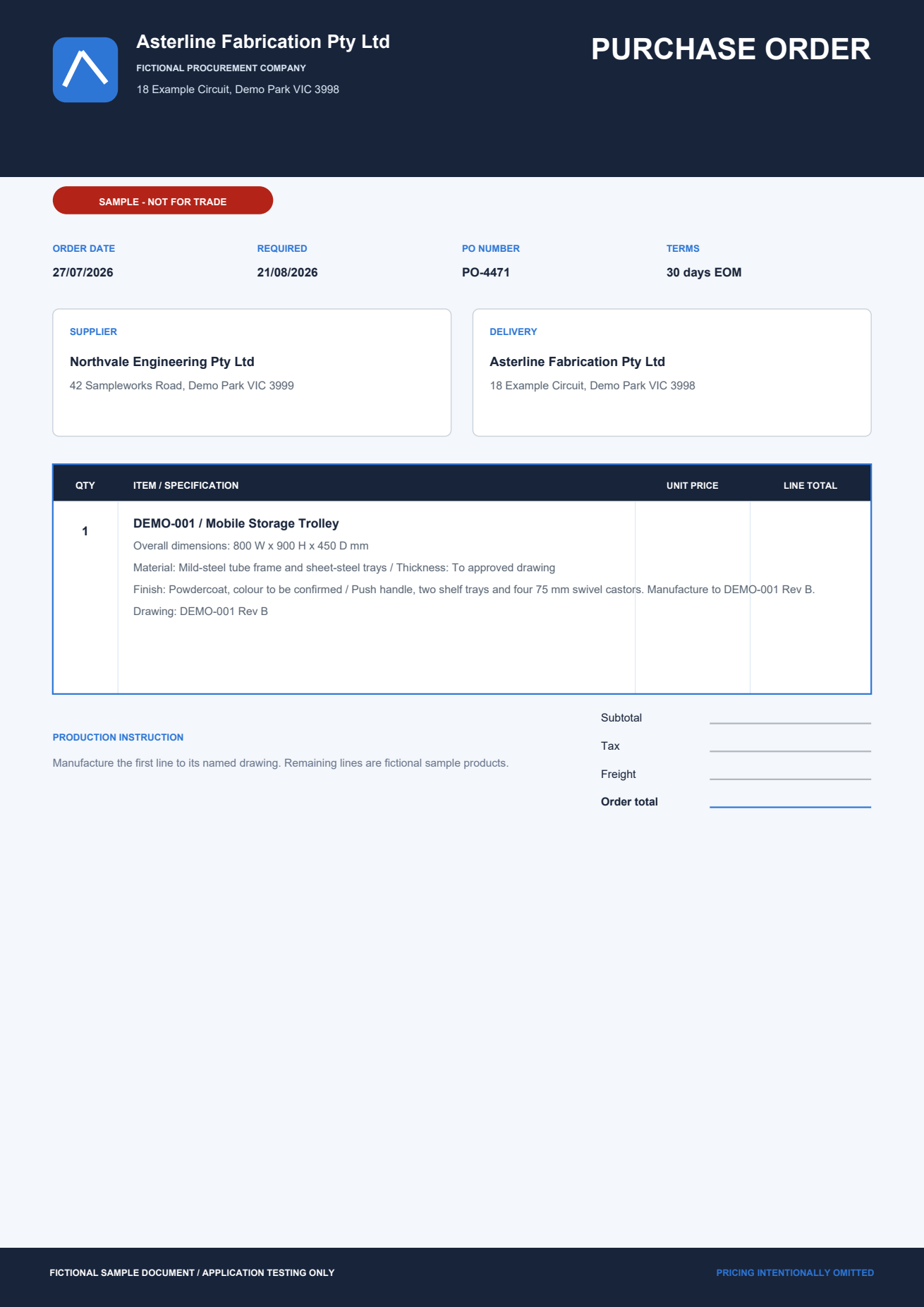
PO-4471.PDF Purchase order · 1 requirement item
Requirement confirmation
APPVLR places the purchase-order value beside the drawing value.
Overall size800 × 900 × 450 mm
Overall size800 × 900 × 450 mm
MatchedWidth, height, and depth are the same. You confirm the requirement.
From two drawings to a decision in five steps.
Load both sheets, let APPVLR make the first sweep, and start your review with every change already highlighted.
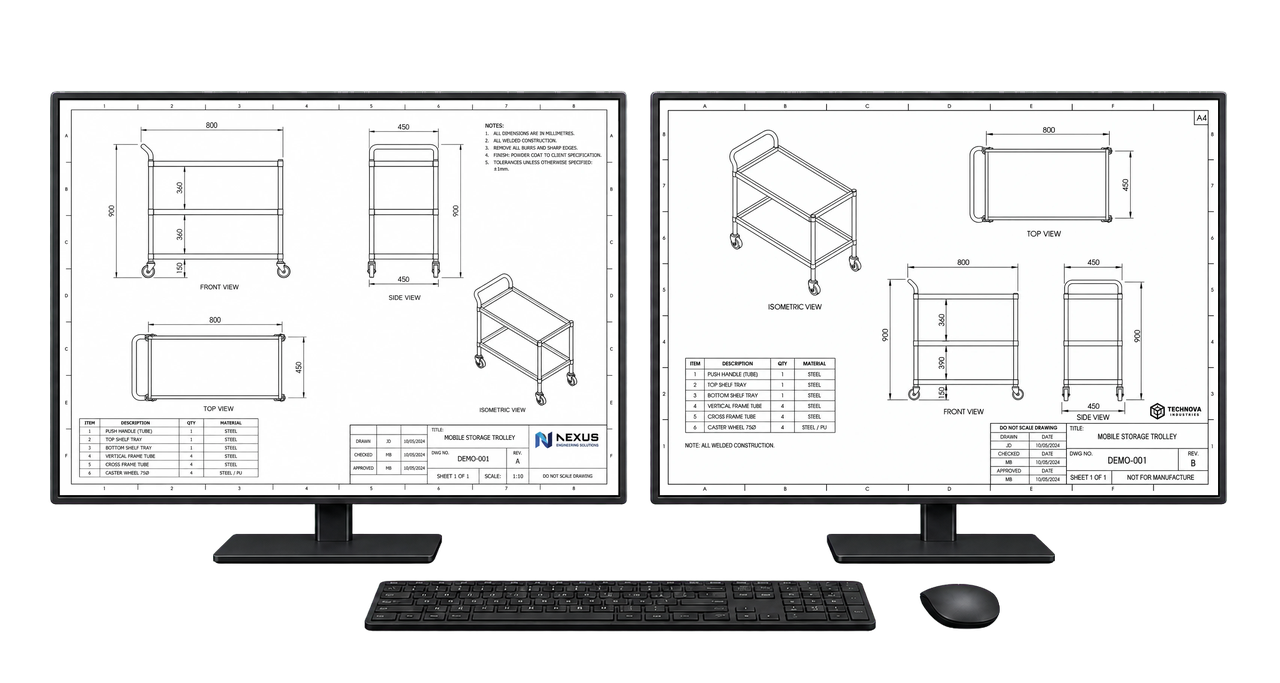
You compare both drawings manually, value by value.
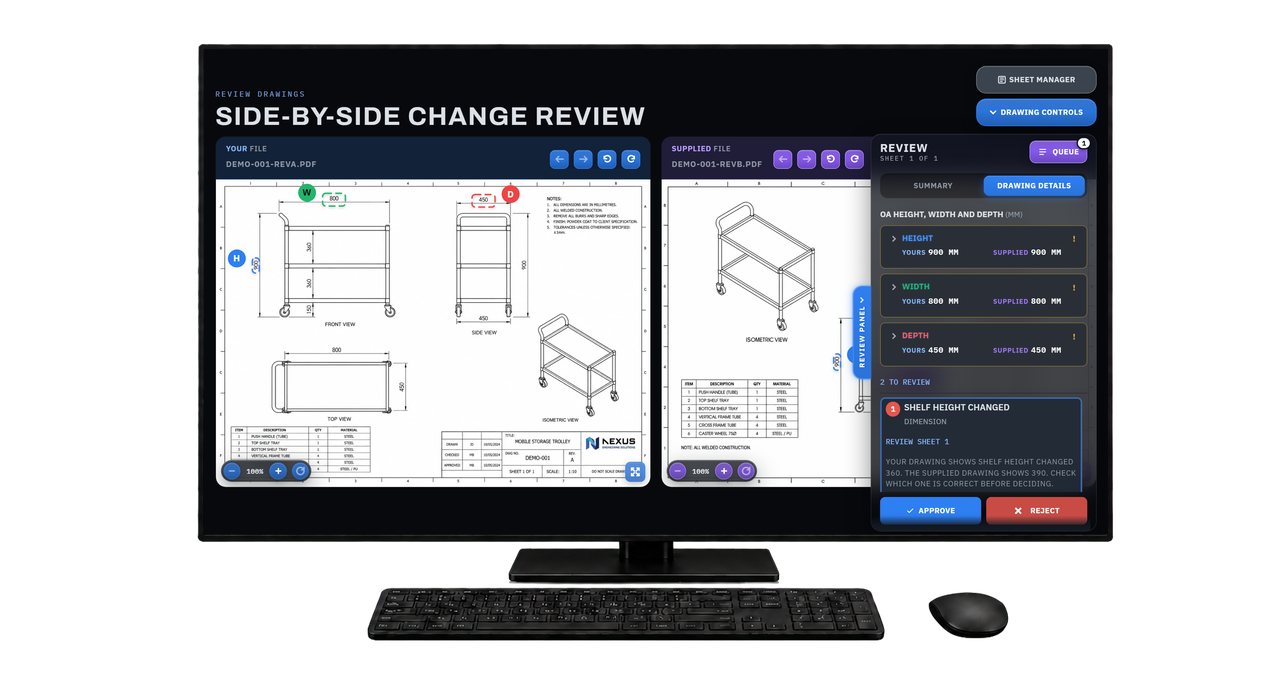
The sweep is done before you look. You check the findings and decide.
The comparison above is the same review run both ways. APPVLR keeps both drawings and the findings on one screen and handles the first sweep, leaving you to inspect the evidence and make the final decision. Comparison counts are derived from real analyses. Times are estimated ranges for the review shown, not measured customer results.
Both drawings stay in front of you.
Keep both full sheets visible while you inspect the same highlighted area on each drawing. Use linked zoom and pan, or open either drawing full screen.
Full-sheet contextFindings never replace the drawing you are reviewing.
Matched evidenceSelect a finding and see the same area on both sheets.
Uncertain pages stay visibleUnpaired or ambiguous pages are not treated as matches.
It finds the changes. You make the call.
APPVLR is not a general chat assistant. Its model compares dimensions, notes, parts, and supplied requirements across both drawings, then shows you the possible changes beside the source sheets.
It never approves or rejects a drawing. If a page is unclear or has no match, it stays with you for manual review.
Everything needed to finish the review.
Leave with a clear review record.
Demo only. These two buttons are the ones in the app's Export step.
One complete review record. The reviewed PDF keeps every comment, approval tick, rejection cross, and final stamp on the drawing, so anyone who opens it can see what was checked and why.
Saved where you expect it. Save or share the completed PDF from the review, including to a Google Drive or OneDrive folder exposed by your device. APPVLR does not receive a second cloud copy.
Uncertainty stays visible.
Ambiguous pagesAPPVLR asks you to confirm the assignment.
Unreadable evidenceRetry analysis or continue with manual inspection.
Scanned sheetsA sheet the model cannot read stays with you rather than getting a guess.
Different productsThe comparison stops until you confirm it should continue.
Never used for trainingYour drawings, comments, decisions, and evidence are not used to train or evaluate AI models.
No sale or profilingNo content, email, IP address, or device identifier is used for advertising or usage profiling. Only anonymous daily totals are kept.
Processed for your reviewNormal review files pass through private automated services and are not added to a review library. We do not routinely view them.
Stored only when you chooseTeam job files stay within that team and become eligible for deletion 90 days after the job closes. You can delete them sooner.
Read the plain-language Privacy Policy and Terms.
Create an account and review your first pair today. The free plan includes 3 analyses a day, and you can upgrade any time.

APPVLR
Your data is yours. APPVLR does not sell it or use your drawings, comments, decisions, or evidence to train or evaluate AI models.